Drafts and thinking
Emails, WhatsApps, summaries, checklists, options, explanations and notes that need structure.
Dolan Property ChatGPT basics
Start with simple, useful habits: give context, ask for a clear format, improve the answer, and review before anything goes to a client.
Use it to draft, rewrite, summarise, organise, brainstorm and compare. It is strongest when the team gives it real context and then checks the answer before using it.
Emails, WhatsApps, summaries, checklists, options, explanations and notes that need structure.
Chats can be started from ChatGPT on a browser or phone. The same habit applies everywhere.
You do not need the perfect first prompt. Ask for a draft, then tell it what to change.
It can invent details or sound too confident, so important facts always need a human check.
Regular ChatGPT is best for general drafting, explaining, organising and thinking. Use it when the task is not specifically Dolan client work, or when you want to practise before using Dolan Property AI.
Say who the work is for, what happened, what the goal is, and what tone you want.
Before askingAsk for an email, WhatsApp, checklist, table, summary, call prep or CRM note.
Make it usefulAsk for shorter, warmer, more direct, less salesy, more natural or more like Michael.
Do not stop earlyCheck facts, tone, price, availability and anything sensitive before using the output.
Stay in controlThe ChatGPT screen is simple once the team knows the main parts: new chat, message box, attachments, previous chats and GPTs. Start here before asking the team to use it for real client work.
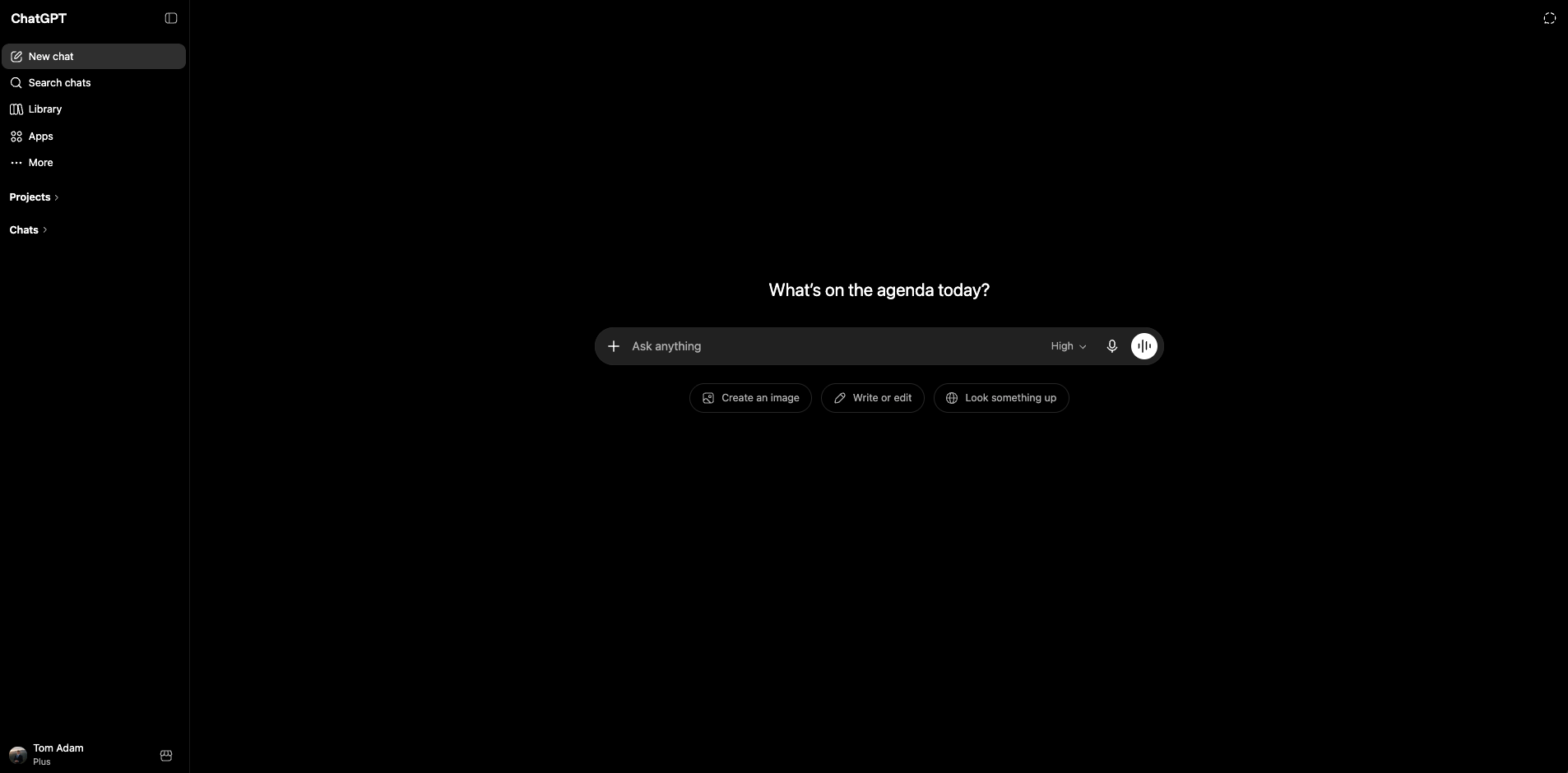
Use one chat for one task or client situation. If the topic changes, start a new chat so the context stays clean.
These are the basic terms that make ChatGPT less mysterious. Keep them plain, practical and tied to what the team will actually do in the office.
The instruction you type. It can be a question, a request, rough notes, or a task such as “make this WhatsApp warmer and shorter.”
One conversation thread. ChatGPT uses earlier messages in the same chat, so keep one client, property or task in one thread.
The background that improves the answer: client stage, channel, tone, goal and any important details.
Asking it to improve the answer. Try shorter, warmer, more formal, less salesy or easier to skim.
Extra material you attach for summaries, extraction, descriptions, screenshots or visual observations.
The human check before use. Read, edit and verify before sending anything client-facing or factual.
ChatGPT can help summarise a brochure, pull key points from notes, compare information, or describe an image. The team should still check the final wording and any facts before using the output.
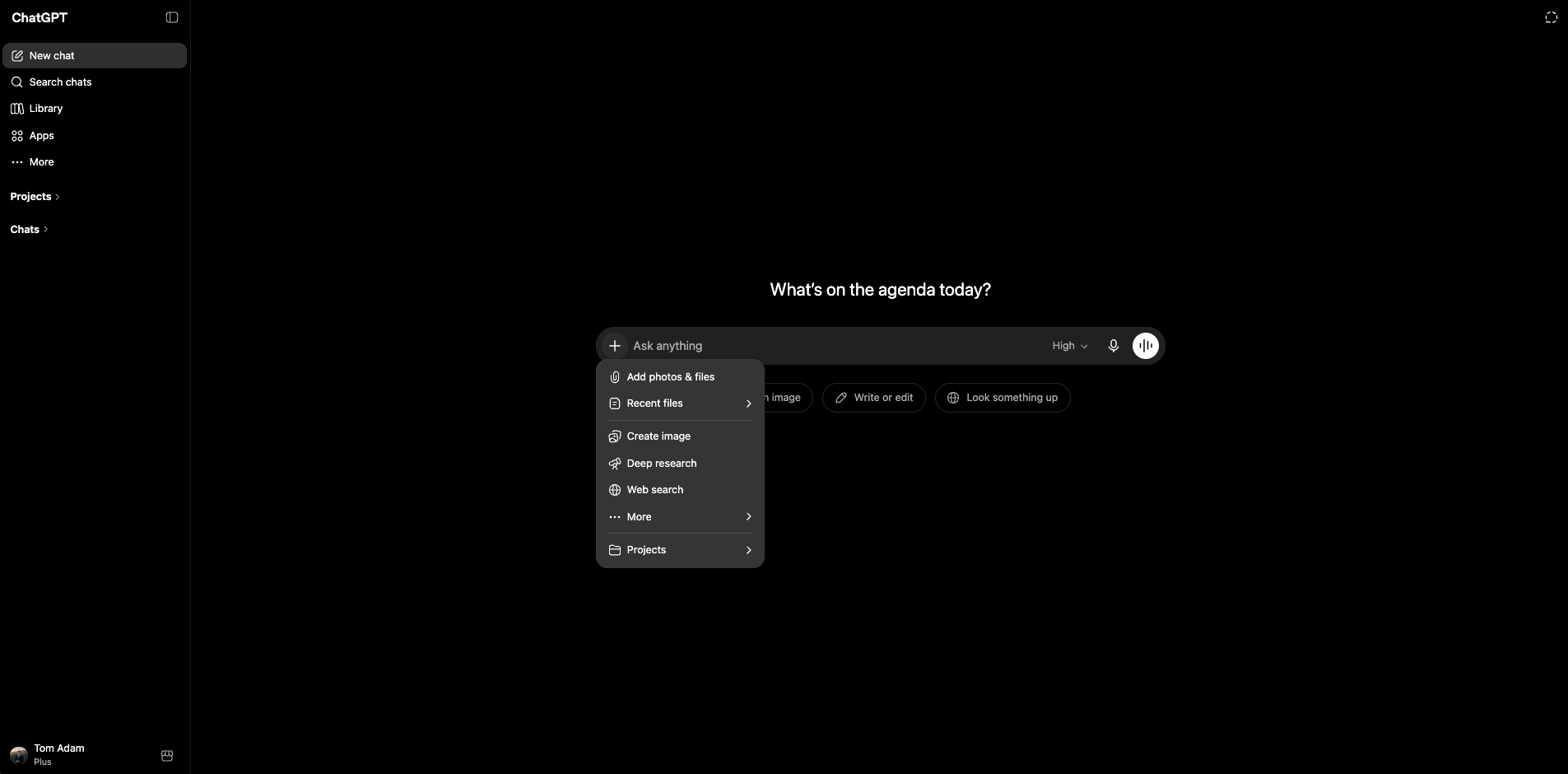
ChatGPT can sound confident even when details are wrong. Treat it as a drafting and organising assistant, not a source of final professional advice.
Prices, metres, distances, yields, dates, availability, school names and location claims must be checked.
Legal, tax, mortgage, immigration, valuation and investment topics need qualified human review.
Use placeholders where possible and avoid passport details, bank details, private financials or unnecessary identifiers.
The team should understand the basic privacy controls inside ChatGPT. MQP can help set a sensible internal rule for what can be pasted, what should be anonymised, and what should stay out.
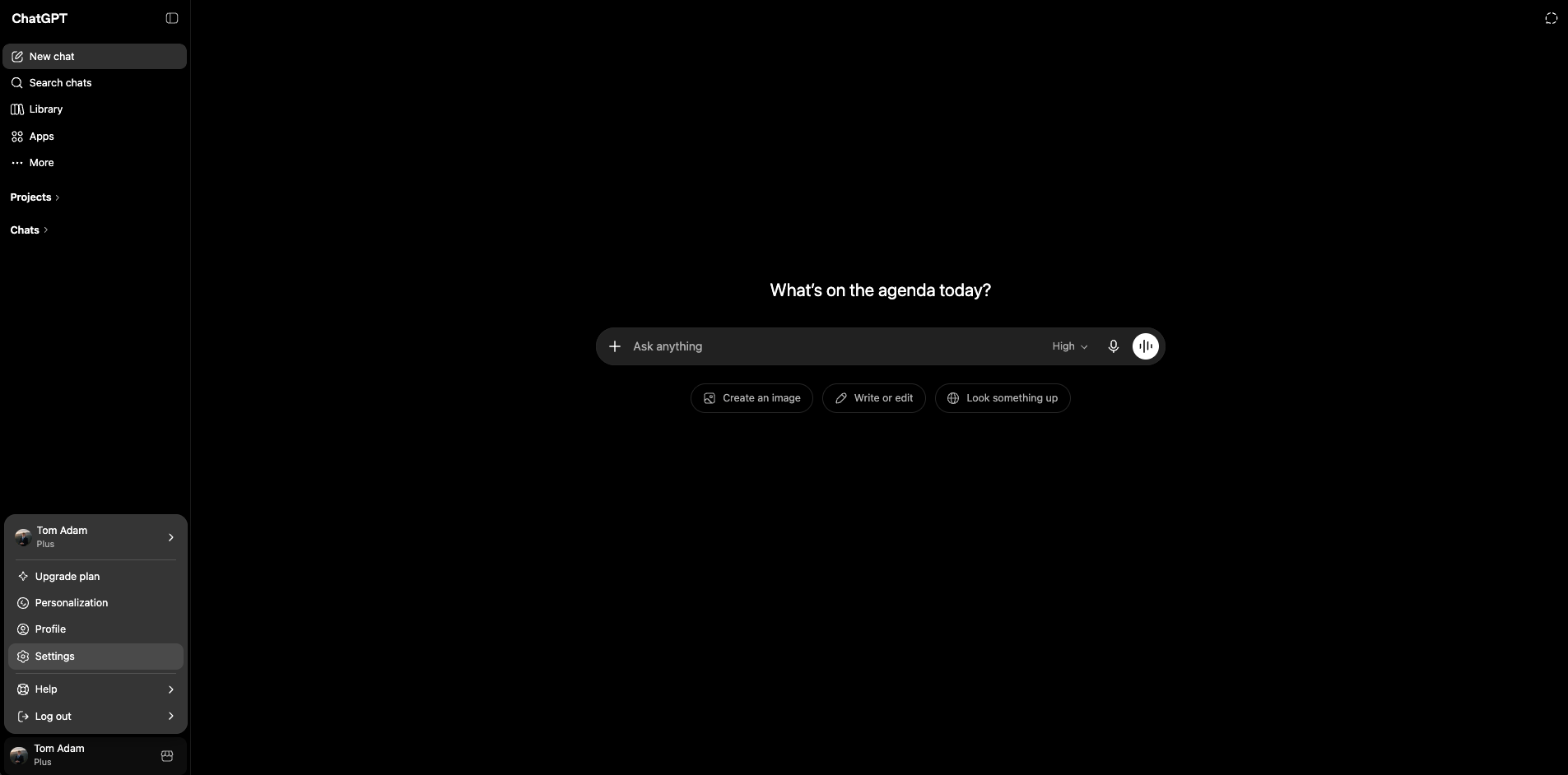
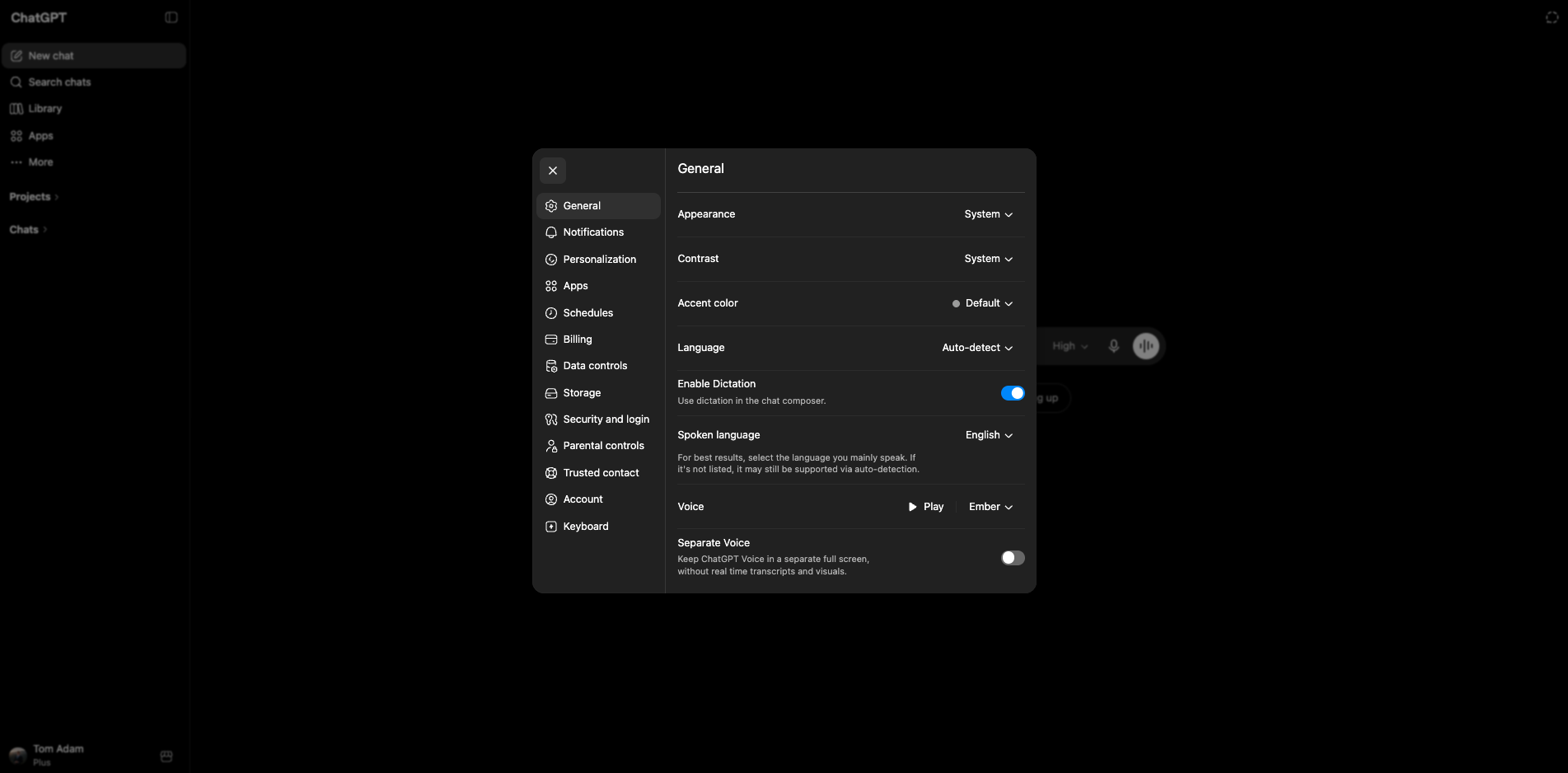
This is the simplest way to get comfortable: paste a real but non-sensitive message, ask for improvements, then ask for one or two revisions.
Keep the practice separate from client work.
Use a viewing confirmation, follow-up or internal note.
Say the audience, tone, length and channel.
Ask for shorter, warmer, clearer or less formal.
These prompts are deliberately simple. Paste rough notes, then ask ChatGPT to adjust the tone, length or structure until the output feels usable.
Explain this in simple terms for someone who is new to the topic:

[paste topic or question]Make this message clearer, warmer and more concise.
Audience:
Tone:
Message:
[paste message]Organise these messy notes into:
1. key points
2. open questions
3. next actions
4. a short summary
Notes:
[paste notes]Create three versions of this message:
1. short WhatsApp
2. professional email
3. warmer follow-up
Keep the meaning the same and make each version natural.
Message:
[paste message]Review this draft before I send it.
Check for:
1. unclear wording
2. anything too pushy
3. factual claims I should verify
4. a more natural version
Draft:
[paste draft]I have attached a document. Summarise the key points that matter for a real estate office.
Create:
1. short summary
2. important details to verify
3. possible client-facing message
4. internal next actionsI have attached a property photo.
Describe what is visible in a polished but accurate way.
Create:
1. one sentence for WhatsApp
2. three sentences for a listing
3. details I should verify before using it