Follow-ups and shortlists
Turn rough notes into emails, WhatsApps, property comparisons and clear next steps.
Client-facingDolan Property Custom GPT
The team’s assistant for buyer follow-ups, property descriptions, viewing notes, area explanations, CRM summaries, comparisons and content drafts.
Dolan Property AI is set up with real estate context and Dolan-specific guidance. Start a fresh chat for each buyer, seller, property or task, paste rough notes, then ask for the output you need.
Turn rough notes into emails, WhatsApps, property comparisons and clear next steps.
Client-facingCreate portal descriptions, short WhatsApp blurbs and social captions from property facts.
Marketing supportOrganise calls, viewings and messy notes into clean internal summaries.
Internal clarityUse the assistant to create the first version, then check tone, facts, prices and availability.
Stay in controlDolan Property AI works like ChatGPT, but with extra instructions for Dolan Property work. The most common mistake is opening a normal ChatGPT chat and expecting it to know the Dolan setup.
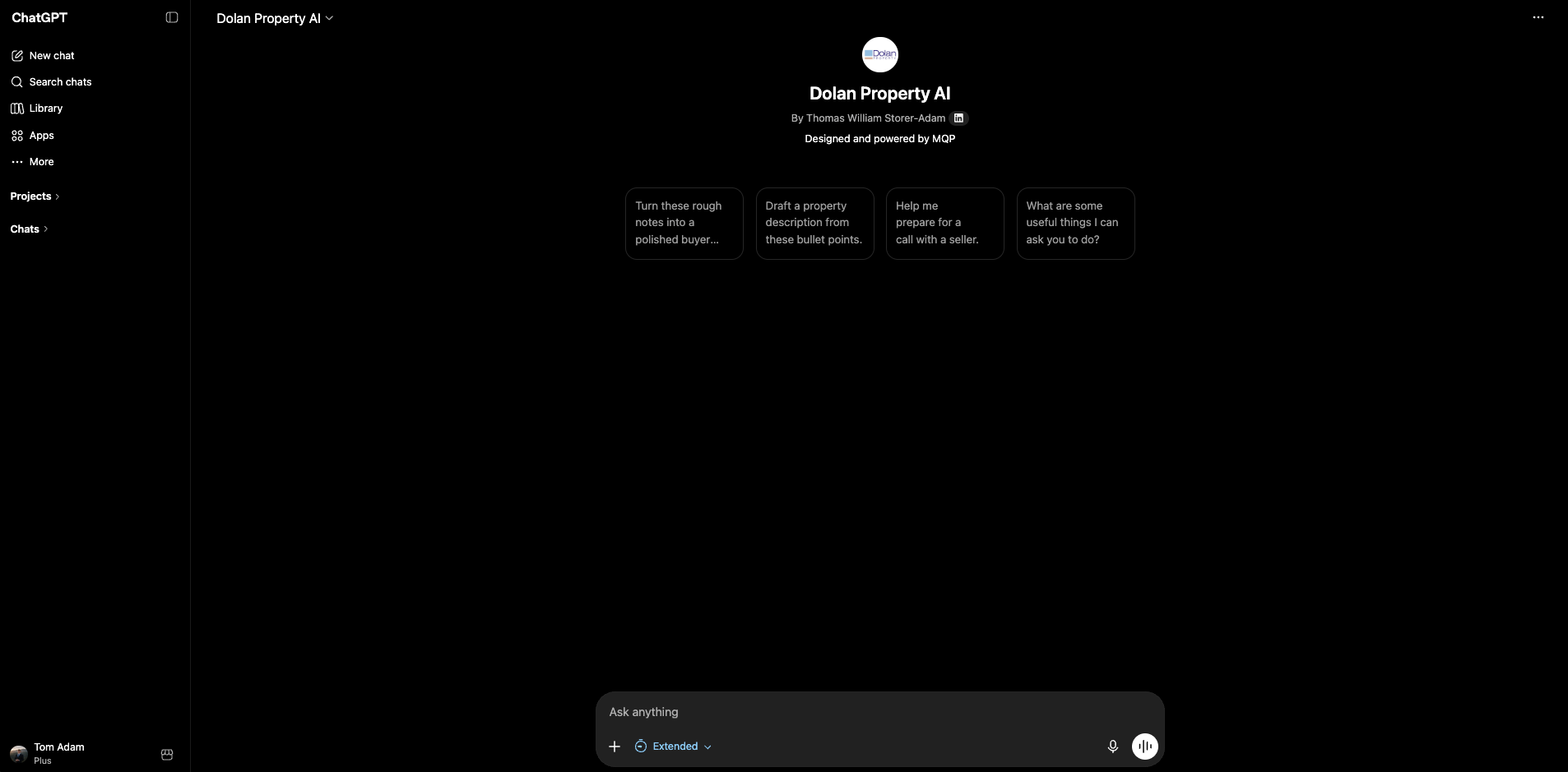
The easiest version is a shared private link. If someone loses it, they should know how to find GPTs inside ChatGPT and how to recognise the correct Dolan Property AI workspace.
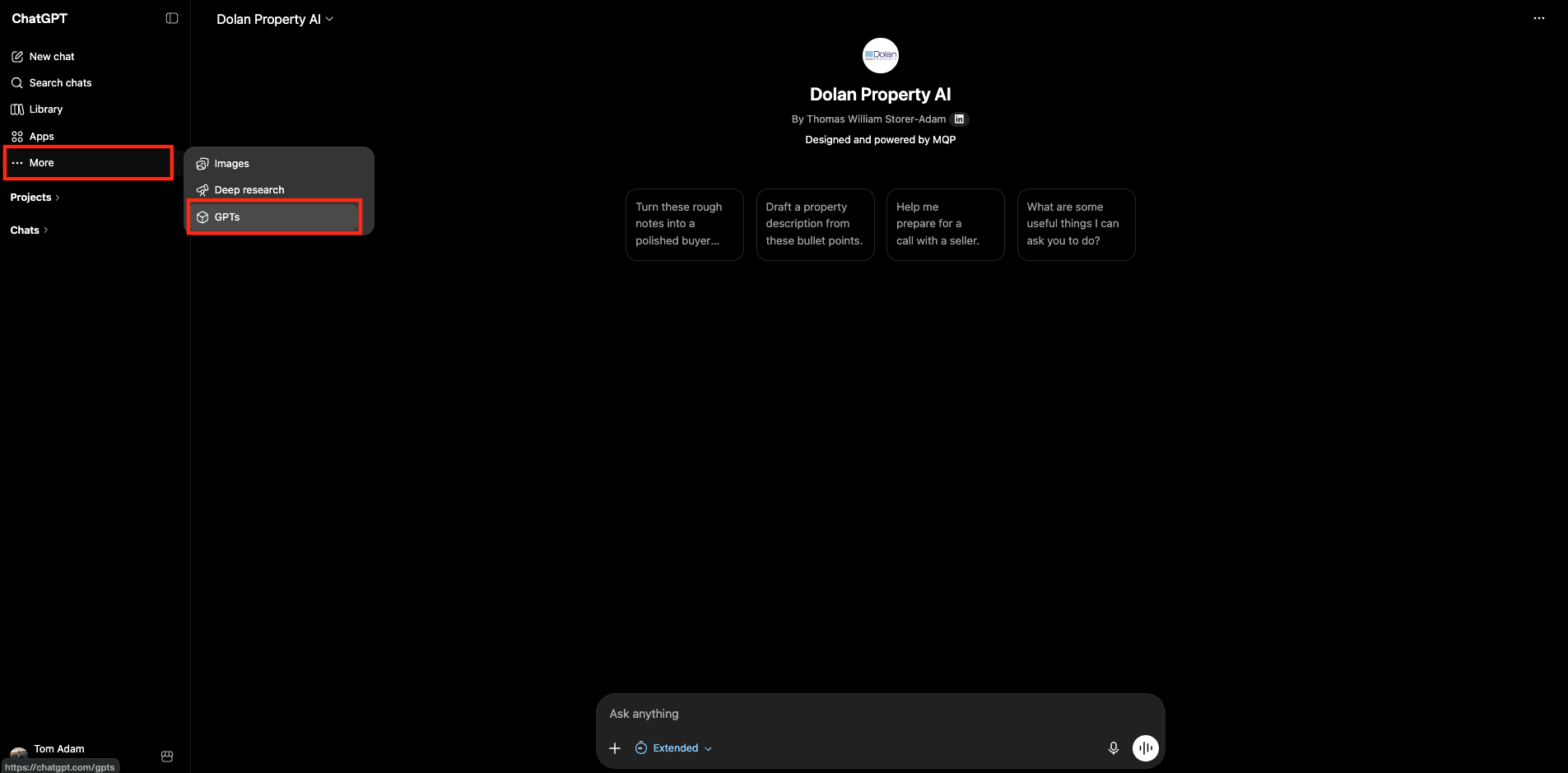
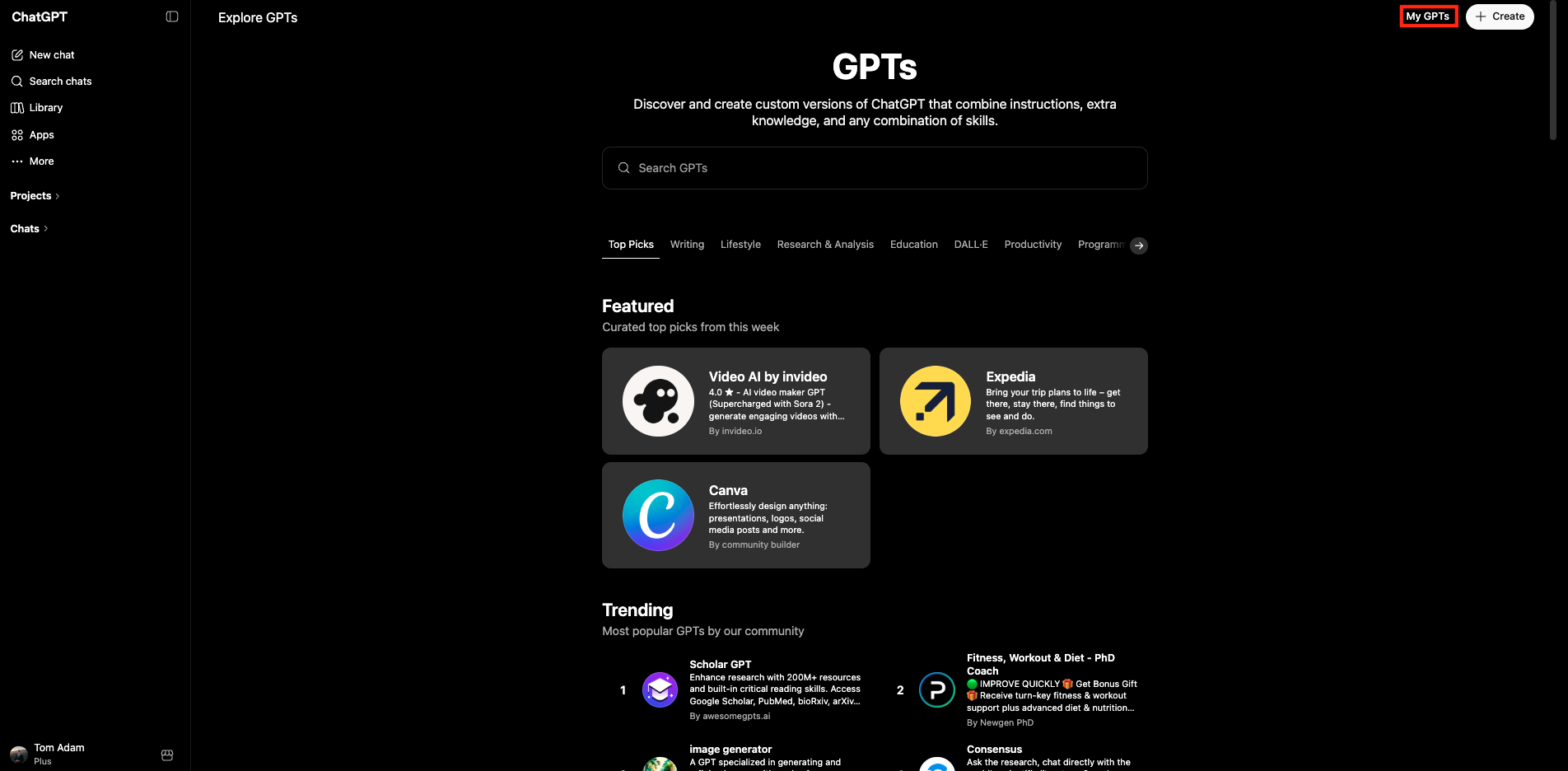
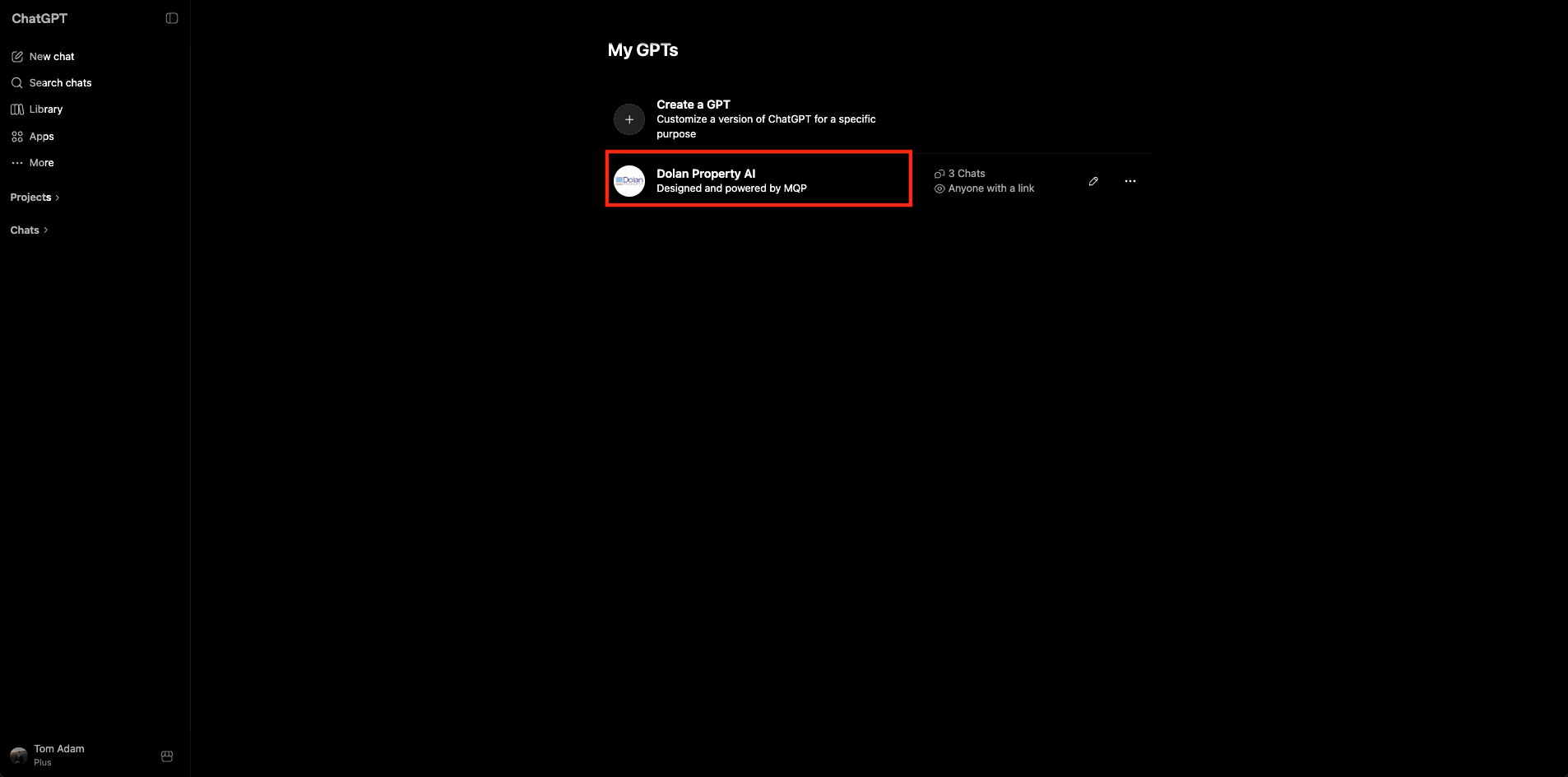
The assistant can follow instructions and use knowledge that has been added to it, but it does not automatically see live CRM data, private client details or current property availability unless that information is pasted or later connected through an approved workflow.
Client messages, summaries, descriptions, viewing notes, area explanations and office drafts.
Paste the criteria, notes, property facts and desired output format. It cannot guess the real details.
Until an Inmobalia integration exists, it only knows what you paste into the chat.
These are the practical workflows where Dolan Property AI should save time immediately. Each one starts with rough human notes and ends with something easier to review.
Paste buyer reactions, property names, concerns and next step. Ask for WhatsApp, email or both.
Paste enquiries, viewings, feedback themes and recommendations. Ask for positive but honest wording.
Paste area, bedrooms, views, style, features and lifestyle angle. Ask for portal, website and WhatsApp versions.
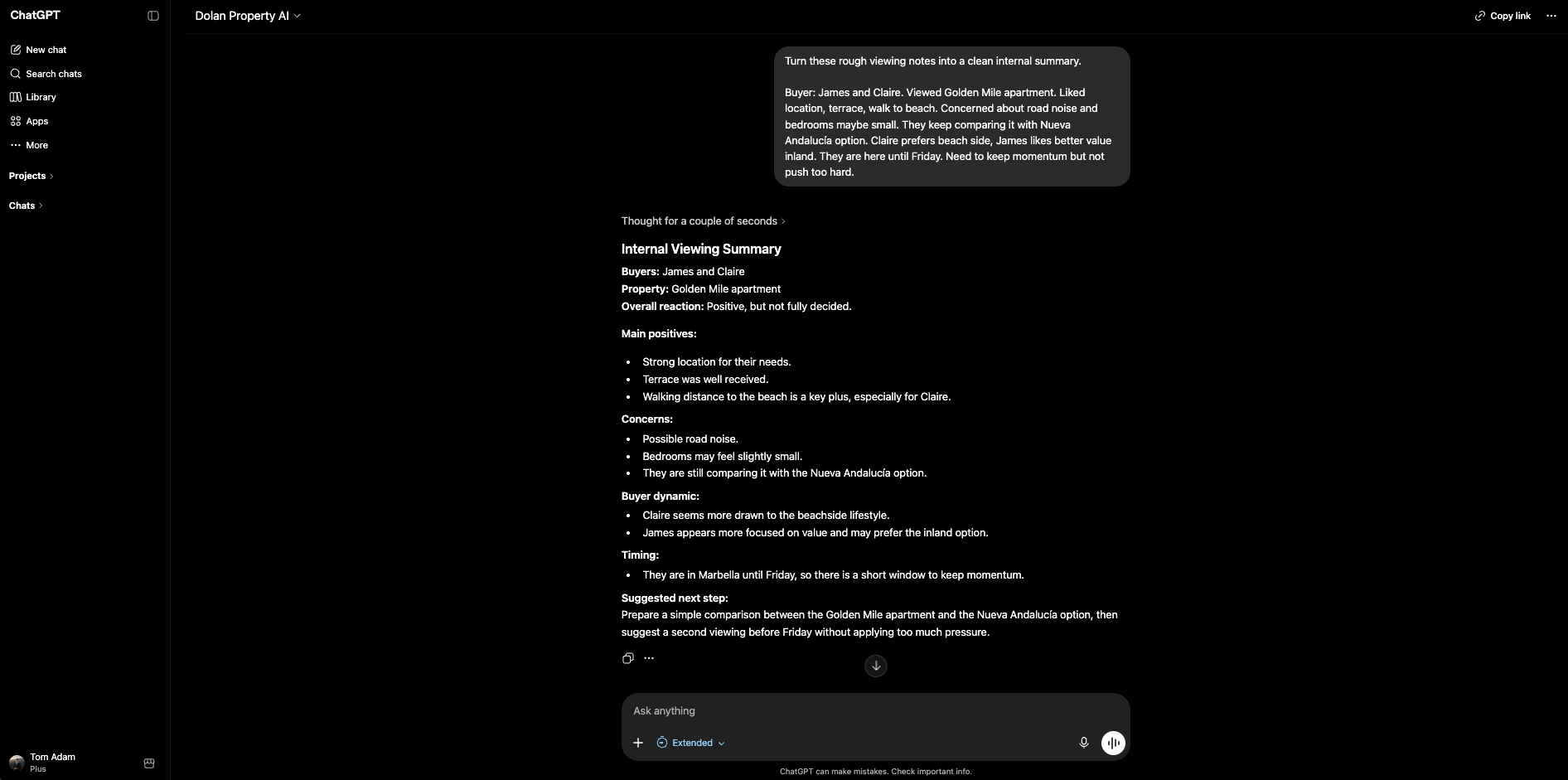
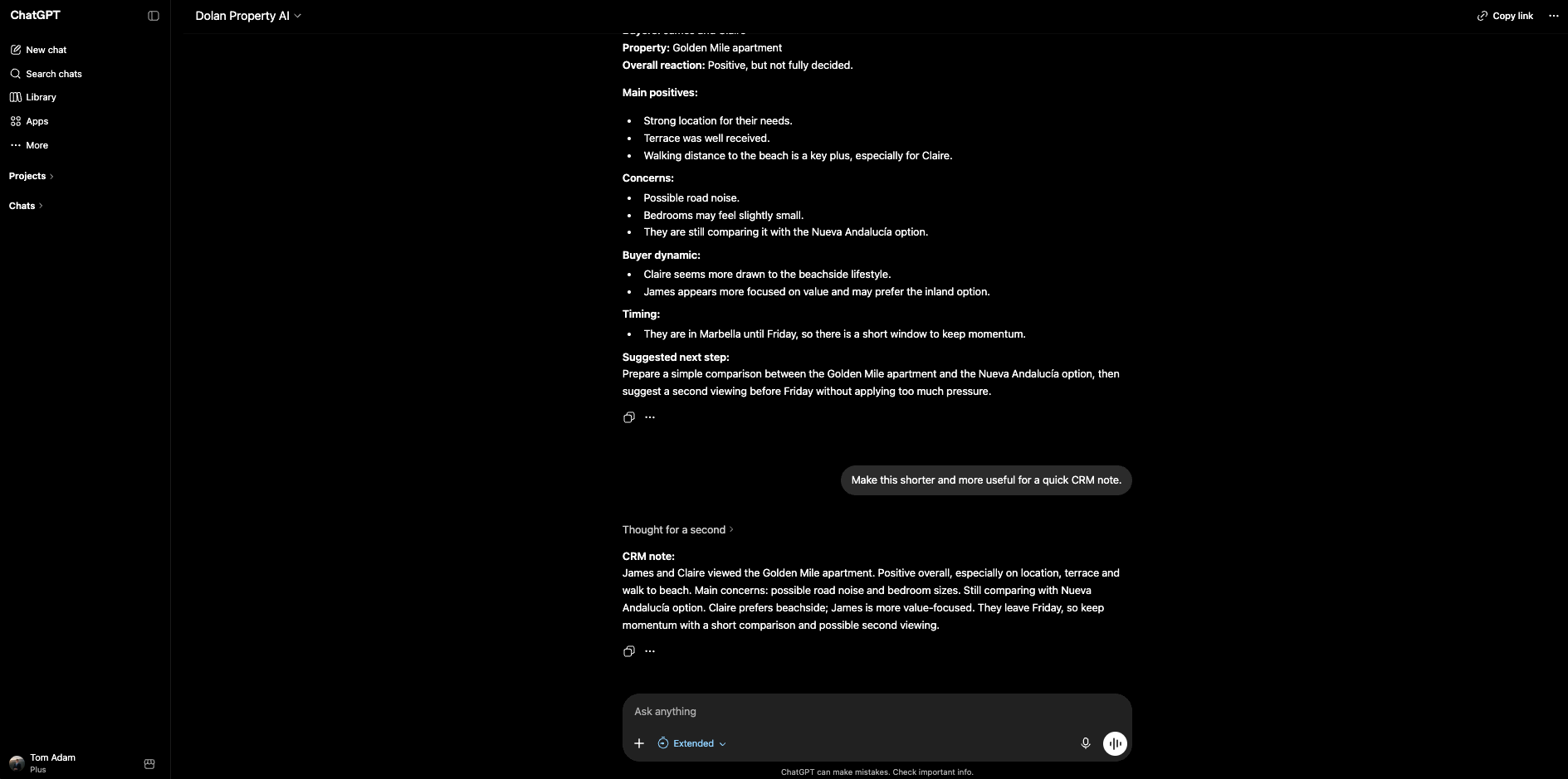
Paste raw notes and ask for reactions, objections, next steps, follow-up message and CRM note.
Ask for an explanation tailored to a buyer profile, avoiding tax or legal claims unless checked.
Paste 3-5 options and buyer priorities. Ask for a table, narrative summary and trade-offs.
The assistant does not need perfect writing. It needs enough raw material to understand the situation, the client, the property and the output the team wants.
Buyer or seller profile, location, budget, must-haves, objections, timeline and preferred communication style.
Bedrooms, bathrooms, area, views, amenities, price, condition, availability and anything that must be verified.
WhatsApp, email, CRM note, comparison table, property description, viewing summary or social caption.
Warm, concise, discreet, luxury, direct, diplomatic, less salesy, more natural or more like Michael.
This is the pattern the team should learn: paste the messy version, ask for a useful format, then improve the answer before sending.
Buyer profile, property, what they liked, concerns and next step.
WhatsApp, email, comparison table, CRM note or all of them.
Ask for shorter, more natural, warmer, more direct or less pushy.
Check facts, tone, availability, prices and anything sensitive.
The best results usually come after one or two follow-up instructions. Treat Dolan Property AI like a junior assistant who needs direction, then edit the final version yourself.
Dolan Property AI is for drafting, organising and comparing. It should not become a source of final advice on legal, tax, mortgage, immigration, valuation or investment topics.
Check prices, areas, metres, distances, availability, features and property claims.
Legal, tax, mortgage, immigration, valuation and investment wording should be reviewed by the right professional.
Use placeholders where possible and avoid unnecessary sensitive personal or financial data.
These prompts are starting points. Paste the real details, ask for a version that sounds more natural, and send examples back to MQP when the assistant needs tuning.
Turn these rough notes into a warm professional WhatsApp to a buyer.

Buyer:
Property/area:
What they liked:
Concerns:
Next step:
Tone: friendly, concise, not pushy.Draft a casual but professional WhatsApp message to a buyer who viewed [property] earlier today.
I want to:
1. thank them
2. ask how they felt about it
3. see if they want to revisit or compare with similar options
Keep it to 3-4 short lines.Write a polite follow-up email to a buyer I have not heard from in 10 days after sending options in [area].
Acknowledge they may be busy, invite honest feedback, and offer to adjust the search if their plans have changed.Turn this raw data into a clear weekly update email to the seller of [property].
Data:
[paste viewings, enquiries, portal stats, feedback]
Include:
1. short intro
2. bullet-point activity summary
3. key feedback themes
4. suggested next steps
Tone: positive but honest.Turn this feedback into a tactful email to the seller.
Feedback:
[paste feedback]
I want to be honest but diplomatic, focus on what we can control, and end with clear recommendations.Draft a property description from these details.
Property type:
Area:
Bedrooms:
Bathrooms:
Interior:
Exterior:
Views:
Key features:
Parking:
Community:
Location notes:
Create:
1. portal description
2. short WhatsApp teaser
3. Instagram captionCreate a 2-3 sentence elevator pitch for this property that I can use in WhatsApp or on a viewing.
Property details:
[paste key details]
Focus on what makes it stand out in [area].Organise these viewing notes.
Create:
1. buyer reaction summary
2. positives
3. concerns
4. suggested next step
5. WhatsApp follow-up
6. CRM note
Notes:
[paste rough notes]Create a client-ready shortlist from these selected properties.
Buyer criteria:
[paste criteria]
Properties:
[paste details]
Create:
1. short introduction
2. summary of each property
3. why each one fits
4. trade-offs/questions
5. email draft
6. WhatsApp versionSummarise this full day of viewings into a short internal report for the team.
Highlight:
1. what the buyer is clearly leaning towards
2. objections or concerns
3. what we should adjust in future recommendations
4. next actions
Notes:
[paste notes]Compare these properties for a buyer.
Buyer priorities:
[paste priorities]
Properties:
[paste property notes]
Create:
1. comparison table
2. best fit recommendation
3. trade-offs for each option
4. questions to ask before decidingWrite a clear area explanation for a buyer.
Area:
Buyer profile:
What they care about:
Properties they are considering:
Cover:
1. lifestyle
2. practical pros and cons
3. property fit
4. what to view nextDraft a professional update to a seller.
Property:
Recent activity:
Buyer feedback:
Open questions:
Recommended next step:
Tone: calm, clear, honest and practical.Turn these notes into a clean CRM note.
Separate:
1. client details
2. property criteria
3. concerns
4. timeline
5. follow-up actions
6. next contact date if mentioned
Notes:
[paste notes]Compare [Area A] and [Area B] for a buyer who wants [preferences].
Create:
1. short plain-English summary
2. comparison table
3. who each area suits
4. details I should verify before sendingImprove this draft [WhatsApp/email] to a client.
Keep my intent, but make it clearer, warmer and more concise.
Suggest 2 versions.
Draft:
[paste draft]Create 3 Instagram captions for this listing aimed at international buyers.
Property features and area:
[paste details]
Create:
1. emotional version
2. factual version
3. very short hook
Avoid over-promising and keep the tone discreet and luxury.